Built for contractors
Quotes, invoices and job leads — all in one place.
Set up your business page once, with your HST/GST number and licence details, then send professional paperwork from the truck or the office.
See a sample quote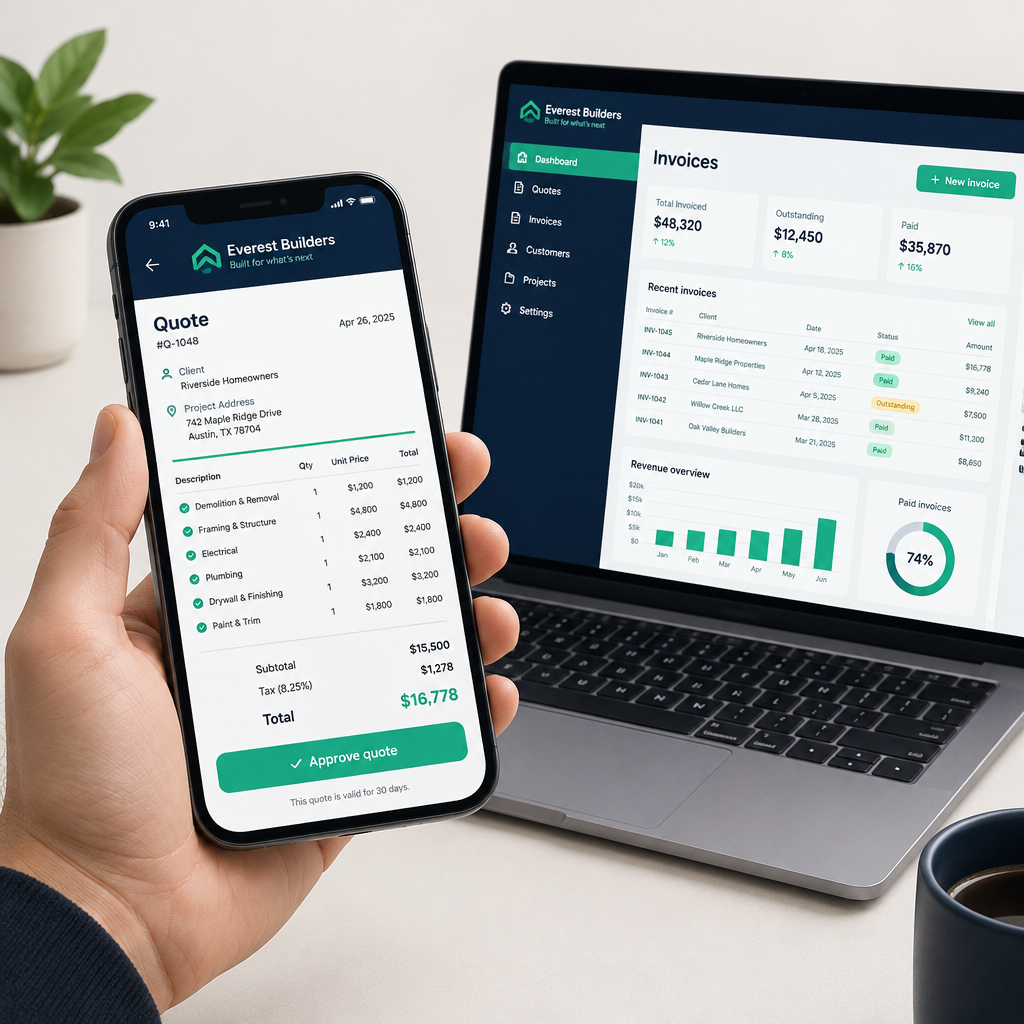
How it works
From job site to paid invoice in three steps.
Write it
Describe the job in a sentence and let the AI write a full, professional scope of work — or type it yourself.
Send it
Email or text the quote to your customer. They open it on any phone and approve it with one tap — no account needed.
Get paid
Turn the approved quote into an invoice and take card payments through Square. The invoice marks itself paid.
Your business page
Company name, logo, address, phone, HST/GST number, business number, WSIB and licence details — printed on every document.
Quotes in minutes
Add line items, labour and materials, apply tax and a deposit, and send a clean, numbered quote.
Turn quotes into invoices
One click converts an accepted quote into an invoice with a due date and payment instructions.
Win job leads
Homeowners post jobs and you unlock the leads in your area for $39.99 each — up to 5 contractors per job.
Client records
Keep every customer's contact info and job site address, and reuse it on any document.
Send to customers
Email a quote or invoice straight to your client, or print and save it as a PDF.
Email or Text
Send the link by email or text message. Customers open it on any phone or computer — no app or account needed.
Private to you
Everything you enter is locked to your account. Nobody else can see your clients or numbers.
Common questions
Is there a contract or commitment?+
No. It's month to month and you can cancel anytime from your Billing page. You keep access until the end of the period you paid for, and there's a 14-day money-back guarantee.
Does it work on my phone?+
Yes. QuoteraPro works in any browser on phones, tablets and computers, and you can add it to your home screen like an app. Your customers don't need to install anything — quotes open in their browser.
Do my customers need an account to approve a quote?+
No. They tap the link in your email or text, review the quote and approve it — no sign-up, no password.
How does the free trial work?+
New contractors get 7 days free. You add a card through Square when you start, and you're only charged if you keep the app past the trial. Cancel before day 8 and you pay nothing.
Does it handle HST/GST?+
Yes. Your HST/GST and business numbers are stored on your business page and printed on every quote and invoice, with tax calculated automatically.
How do I get paid?+
Connect your own Square account and customers can pay invoices by card. The money goes straight to your Square account — QuoteraPro never touches it.
Simple pricing
Try free for 7 days, then $30 CAD/month or $280 CAD/year. Cancel anytime.
Start your free trial